










Kubernetes Network Policies (KNP) are powerful resources that help secure and isolate workloads in a cluster. By defining what traffic is allowed to and from specific pods, KNPs provide the foundation for zero-trust networking and least-privilege access in cloud-native environments.
But there’s a problem: KNPs are risky, and applying them without a clear game plan can be potentially disruptive.
Without deep insight into existing traffic flows, applying a restrictive policy can instantly break connectivity killing live workloads, user sessions, or critical app dependencies. An even scarier scenario is when we implement policies that we think cover everything and workloads actually work, but after a restart or scaling operation we hit new problems. Kubernetes, with all of its features, has no built-in “dry run” mode for policies, and no first-class observability to show what would be blocked or allowed which is the right decision since Kubernetes is an orchestrator not an implementer.
This forces platform teams into a difficult choice, deploy permissive or no policies and weaken security, or Risk service disruption while debugging restrictive ones. As a result, many teams delay implementing network policies entirely only to regret it after a zero-day exploit like Log4Shell, XZ backdoor, or other vulnerabilities that can impact production.
Impact
The fear of breaking something becomes the top reason why Kubernetes environments go unsegmented. You can’t enforce what you can’t test safely.
For instance, let’s say you want to secure a workload deployed by another team. You don’t control how it was configured. You’re tasked with writing a network policy, but:
- You don’t know what dependencies it has.
- You don’t know what clients are connecting to it.
- You don’t want to cause downtime by getting it wrong.
This leads to situations where security takes a backseat to stability. Policies get delayed or shelved. And worst of all, the blast radius remains wide open.
Resolution
That’s why Calico Open Source v3.30 introduces Staged Network Policies, a simple but powerful way to test policies safely, with zero risk to production traffic. A staged policy audits what would happen if it were enforced without taking action on packets.
Here’s how it works:
- You write a
StagedNetworkPolicyjust like a regular KNP. (More about this later!) - Calico evaluates it during traffic processing, but doesn’t block or allow traffic based on it.
- Instead, all decisions made by the staged policy are logged and viewable in Whisker or Service Graph in Calico Cloud Free Tier.
The best part about Calico is its interoperability, this means you can use staged policies to even evaluate your Kubernetes network policies.
Let’s Set the Scene
Note: If you would like to run the experiment in your own environment, click here.
To better understand staged network policies, let’s go over a scenario. Imagine we’re trying to secure an app called anp-demo-app, running in the web-demo namespace. We don’t have control over how it was deployed, or anything about its required communication channels, and we can’t risk any downtime. However, to secure our app we need to implement policies so let’s evaluate what happens when we apply some KNPs to our workload.
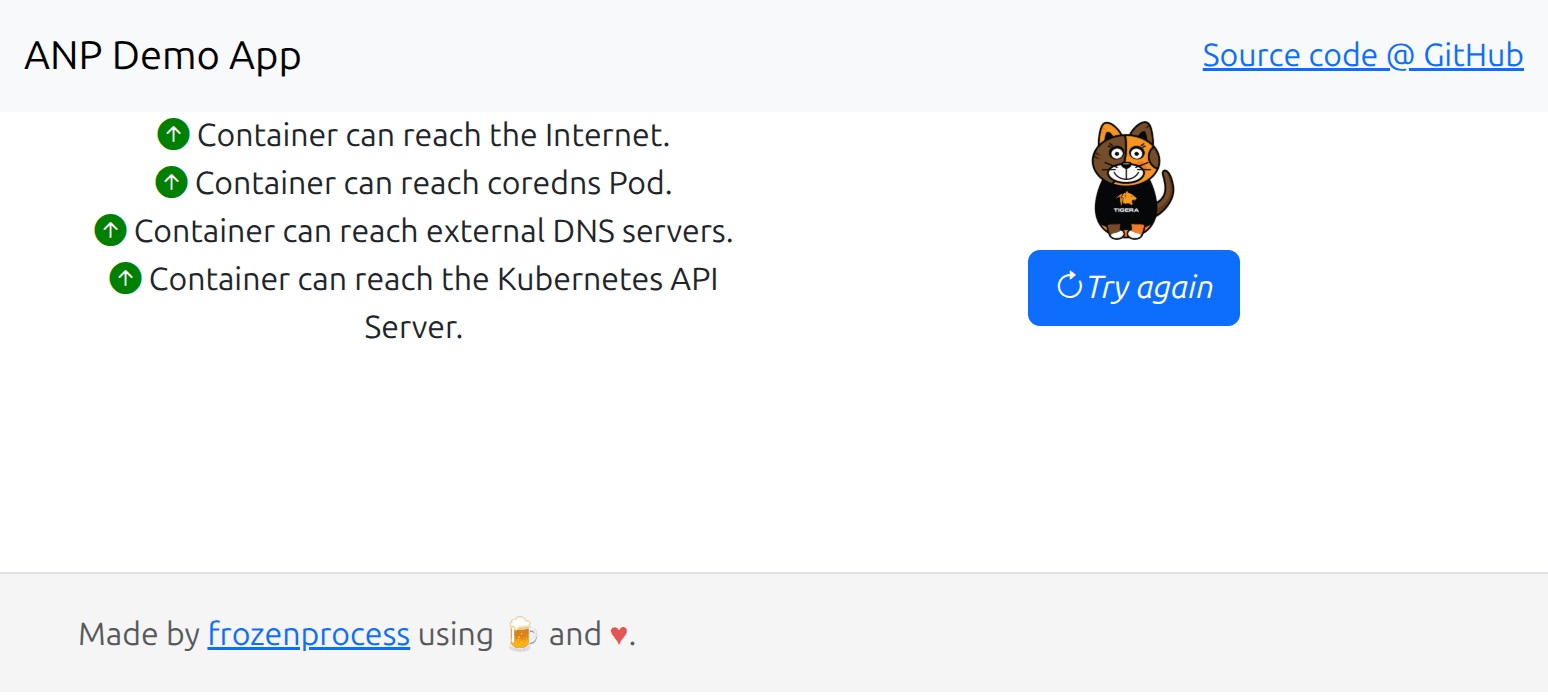
With plain KNPs, we might write something like this. An explicit allow to match our workloads ingress and deny any egress, and a default deny to match every traffic other than what we explicitly allowed in that namespace:
apiVersion: networking.k8s.io/v1
kind: NetworkPolicy
metadata:
  name: allow-http-ingress
  namespace: web-demo
spec:
  podSelector: {}
  policyTypes:
    - Ingress
    - Egress
  ingress:
    - from:
      ports:
        - port: 80
---
apiVersion: networking.k8s.io/v1
kind: NetworkPolicy
metadata:
  name: deny-my-app
  namespace: web-demo
spec:
  podSelector: {}
  policyTypes:
    - Ingress
    - Egress
Apply that and boom! The app stops responding. Something got missed, and we can verify it by opening the customer facing page again.
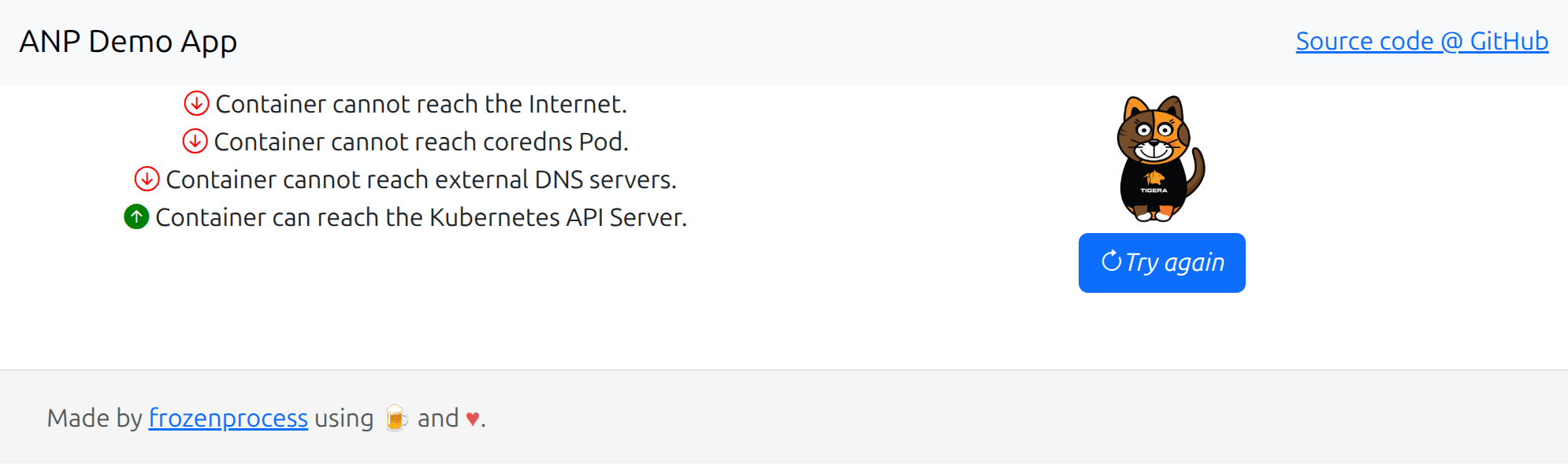
As you can see, our application is now being blocked by our policies and for a production environment this means downtime.
The Power of Staged Network Policies
Now, let’s delete the Kubernetes Network Policy resources that we created earlier and try the safe way with Calico staged policies. Staged network policies are unique Calico resources and all you need to do to use them is to change the apiVersion and add a prefix to your current policies. In our case, we need to change the apiVersion from networking.k8s.io/v1 to projectcalico.org/v3 and change the resource Kind to StagedKubernetesNetworkPolicy.
Note: We are using StagedKubernetesNetworkPolicy specifically to target Kubernetes-native network policies. This distinction is important because Calico defines its own custom resources, NetworkPolicy and GlobalNetworkPolicy, which share the same name as Kubernetes NetworkPolicy but offer advanced capabilities.
Calico’s policies support powerful features such as:
- Global policy scope for cluster-wide enforcement
- Granular traffic control beyond namespace boundaries
- HostEndpoint targeting, enabling enforcement on host-level components like network interfaces, sockets, and ipsets, capabilities that standard Kubernetes network policies cannot achieve.
If you’d like to learn more about Calico network policies, click here.
Now let’s try the same thing using StagedKubernetesNetworkPolicy:
apiVersion: projectcalico.org/v3
kind: StagedKubernetesNetworkPolicy
metadata:
  name: allow-http-ingress
  namespace: web-demo
spec:
  podSelector: {}
  policyTypes:
    - Ingress
    - Egress
  ingress:
    - from:
      ports:
        - port: 80
  egress: []
---
apiVersion: projectcalico.org/v3
kind: StagedKubernetesNetworkPolicy
metadata:
  name: deny-my-app
  namespace: web-demo
spec:
  podSelector: {}
  policyTypes:
    - Ingress
    - Egress
This time, the application stays up. Everything works as before. Why? Because Calico Staged policies don’t affect traffic it only audits enforcement. You might be wondering that is great but how can I verify my staged network policies are actually doing something?
Where to Observe Staged Policies?
Using Whisker, Calico’s observability UI, we can:
- Filter traffic flows by staged policy decisions,
- See which connections would have been allowed or denied,
- Get visibility into source, destination, namespace, labels, ports, and more.
This observability gives you complete confidence. Once the staged policy behaves exactly how you want, simply promote it to a real KNP or convert it to a Calico-native NetworkPolicy resource for advanced features.
Go Even Further With Calico Cloud Free Tier
Whisker is a simple and powerful tool that gives you observability, and if you like that you will love Calico Cloud Free Tier.
Basically, its enterprise features that we offer to our customers for free. All you need to do is to head over to calicocloud.io and register a new account. No credit card required!
Outcome
Security shouldn’t require courage. With Calico’s staged policies, it doesn’t. Staged network policies are unique Calico resources that allow you to safely try and troubleshoot your policies inside or outside a production environment.
This unique feature allows you to:
✅ Validate policies in real time without affecting traffic
✅ Iterate and improve security posture with no guesswork
✅ Enable DevSecOps workflows that are fast, safe, and visible
✅ Build least-privilege access confidently and continuously
Check out Calico Staged Network Policy in action in this demo