










In today’s cloud-native environments, network security is more complex than ever, with Kubernetes and containerized workloads introducing unique challenges. Traditional tools struggle to monitor and secure these dynamic, interconnected systems, leaving organizations vulnerable to advanced threats, such as lateral movement, zero-day exploits, ransomware, data exfiltration, and more.
Network threat detection identifies malicious or suspicious activity within network traffic by using rules and analyzing patterns, behaviors, and anomalies. It enables organizations to spot attacks early, respond quickly, and mitigate risks before they escalate. Tools like Calico are specifically designed to address these challenges in Kubernetes, offering visibility, detection, and automated responses to protect workloads from known and emerging threats.
Calico delivers advanced network threat detection for Kubernetes environments, leveraging a variety of techniques to ensure comprehensive protection. Here are the key features of Calico’s network threat detection.
Behavior-based detection
Calico uses machine learning algorithms to establish a baseline of normal network behavior and detect anomalies such as port scans, IP (Internet Protocol) sweeps, and domain generation algorithms (DGA), which are commonly used by malware to evade detection and maintain communication with command and control (C2) servers.
Calico’s anomaly detection capability evaluates traffic flows using machine learning to identify the baseline behavior of your Kubernetes environment and generates alerts when unexpected behavior is detected. This enables you to detect and protect your Kubernetes environment against zero-day exploits.
Port scans, IP (Internet Protocol) sweeps, and service byte anomalies (unusual patterns in the amount of data transferred to or from a service) can all be indicators that your environment has been compromised and is hosting an advanced persistent threat (APT). Calico detects and alerts on this type of activity and can quarantine those workloads.
Calico also uses behavior-based detection to protect against DDoS (Distributed Denial of Service) attacks. Calico uses a rich set of flow logs (layers 3 and 4), application layer (layer 7) logs, and DNS logs for all network traffic in the cluster to establish normal traffic baselines for nodes, pods, and services with respect to the amount of traffic that is normal at any given period of time. Any time there is a deviation from the baseline behavior, an alert is generated informing the user about the deviation. Calico network policies and Calico Web Application Firewall (WAF) can then be used to respond to DDoS attacks.
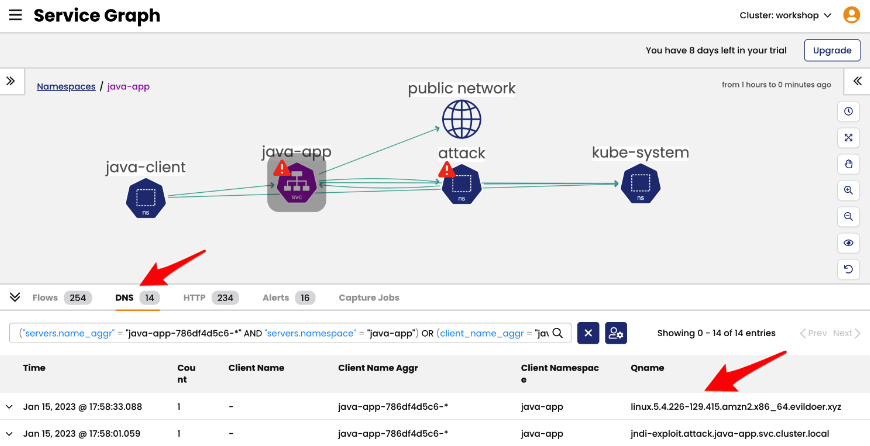
For more information on Calico’s behavior-based detection capabilities, see: Detecting Network-Based Anomalies with Calico. For more information on how Calico handles DDoS attacks, see: How to detect and stop DDoS attacks in a Kubernetes environment.
Deep Packet Inspection (DPI)
Calico can perform deep packet inspection (DPI) on network traffic to detect threats like malicious payloads and unauthorized data transfers.
Calico DPI examines both the header and payload of data packets using specific rules. This in-depth inspection is extremely useful for detecting malicious payloads and unauthorized data transfers. It’s implemented as a Kubernetes custom resource called DeepPacketInspection and for each DPI resource, Calico creates a live traffic flow monitor that inspects packets matching Snort community rules. When malicious activities are suspected (i.e., a Snort rule triggers), alerts are automatically added to the Alerts page in the Calico Manager UI.
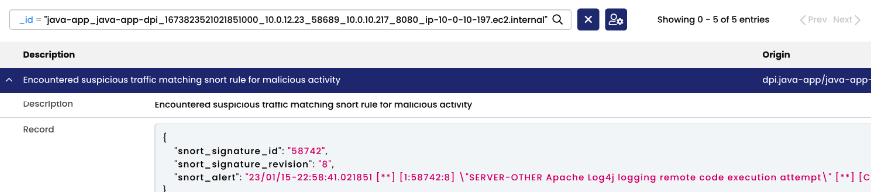
The nice thing about Calico’s DPI is its flexibility as it can be selectively configured for specific namespaces, services, and endpoints, and can be disabled at any time. Snort rules can also be added (if you have some kind of Snort subscription or write your own), configured, and customized, giving an incredible amount of control over threat detection.
Learn more about Calico Deep Packet Inspection (DPI).
Intrusion Detection and Prevention System (IDS/IPS):
Calico provides an IDS/IPS (Intrusion Detection System/Intrusion Prevention System) to monitor and block traffic from recognized malicious addresses.
Threat intelligence feeds, which record and track the IP addresses of known bad actors, are a critical part of modern cloud-native security. Calico Cloud utilizes threat intelligence feeds, such as AlienVault, as part of its default security policies.
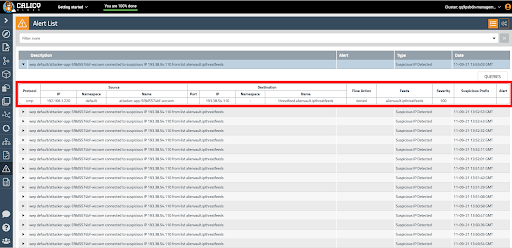
Calico uses these threat feeds that identify IP addresses and match SNORT signatures for known bad actors such as botnets. Any ingress or egress traffic to or from any suspicious IPs is detected, traffic is blocked, and an alert is triggered in the UI. The alert shows the full context, including which pod(s) were involved, so you can quickly analyze and remediate.
Learn more about Calico’s Intrusion Detection System (IDS).
Web Application Firewall (WAF)
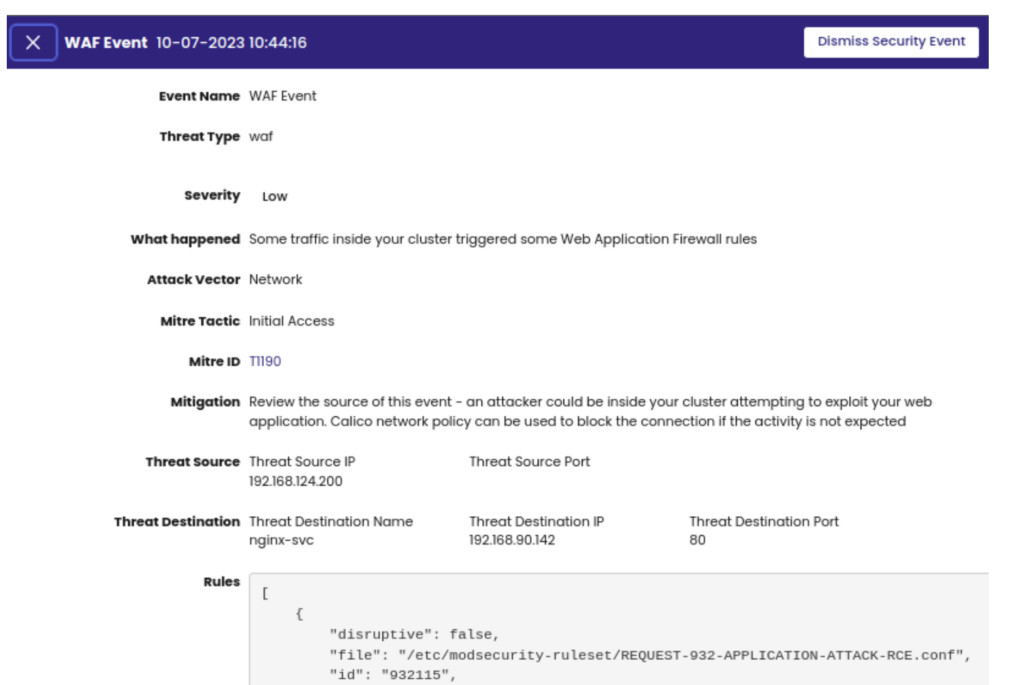
Calico includes a workload-centric Web Application Firewall (WAF) to protect against HTTP-based attacks, including OWASP Top 10 vulnerabilities. Calico’s WAF implements policies at the workload level, protecting applications from both external threats and malicious lateral movement within the cluster.
Calico’s workload-centric WAF plugs into our existing Envoy proxy, which runs as a DaemonSet alongside Calico. Calico proxies select service traffic through Envoy, checking HTTP requests using the industry-standard ModSecurity module, which provides a core rule set for the most common security risks identified by OWASP, allowing operators to bring their own rule sets or leverage subscription-based rules. The Calico WAF also enables users to enforce security controls on all east-west traffic.
East-west traffic passing through Calico’s Envoy proxy is automatically evaluated against ModSecurity rules. Any detected threats or security issues are reported as alerts, which are displayed in the Calico UI. These alerts can also be forwarded to a Security Information and Event Management (SIEM) system or other security tools to initiate automated runbooks or playbooks.
Learn more about Calico WAF.
Actively Mitigate and Defend Against Exposure Risks
When a network threat is detected using Calico, immediate actions can be taken to limit its impact. Calico enables swift quarantine of infected workloads through network policies, isolating the threat from the rest of the environment. Calico uses network policies to block ports and IP addresses against specific attacks and to defend against DDoS attacks. With Calico, you gain not only comprehensive network threat detection but also the tools to proactively prevent and defend against a wide range of threats.
Summary
This blog highlights how Calico’s advanced network threat detection capabilities address the unique security challenges of Kubernetes environments. Key features include behavior-based detection using machine learning, deep packet inspection (DPI) for identifying malicious payloads, and an intrusion detection/prevention system (IDS/IPS) that leverages threat intelligence feeds. Additionally, Calico integrates a workload-centric web application firewall (WAF) to defend against HTTP-based attacks. By offering real-time anomaly detection, automated remediation, and granular policy controls, Calico ensures comprehensive protection against both known and zero-day threats, helping organizations maintain secure and resilient containerized workloads.
Want to learn more about Calico’s Network Threat Detection? Schedule a demo.